Clients - Add Invoice
This guide provides a straightforward, step-by-step process for creating an invoice for a client using the Voqara platform. It simplifies the invoicing process, ensuring users can efficiently manage their billing tasks without confusion. By following these instructions, users can save time and ensure accuracy in their invoicing, making it an essential resource for anyone looking to streamline their client billing.
Made by Tusk Support with Scribe
This guide provides a straightforward, step-by-step process for creating an invoice for a client using the Voqara platform. It simplifies the invoicing process, ensuring users can efficiently manage their billing tasks without confusion. By following these instructions, users can save time and ensure accuracy in their invoicing, making it an essential resource for anyone looking to streamline their client billing.
1. Log into Voqara
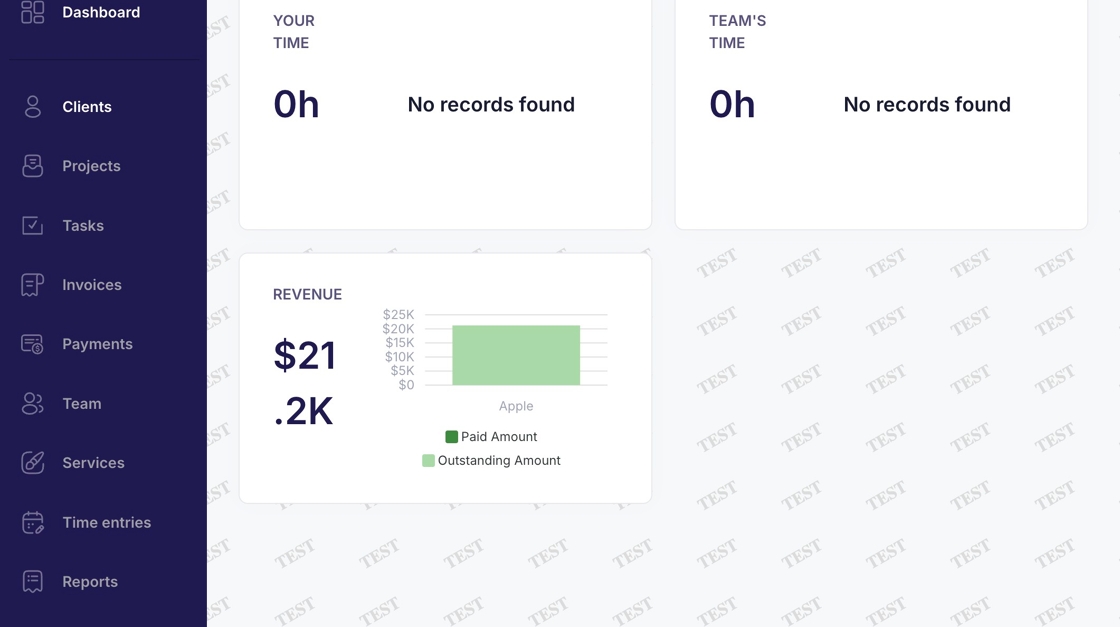
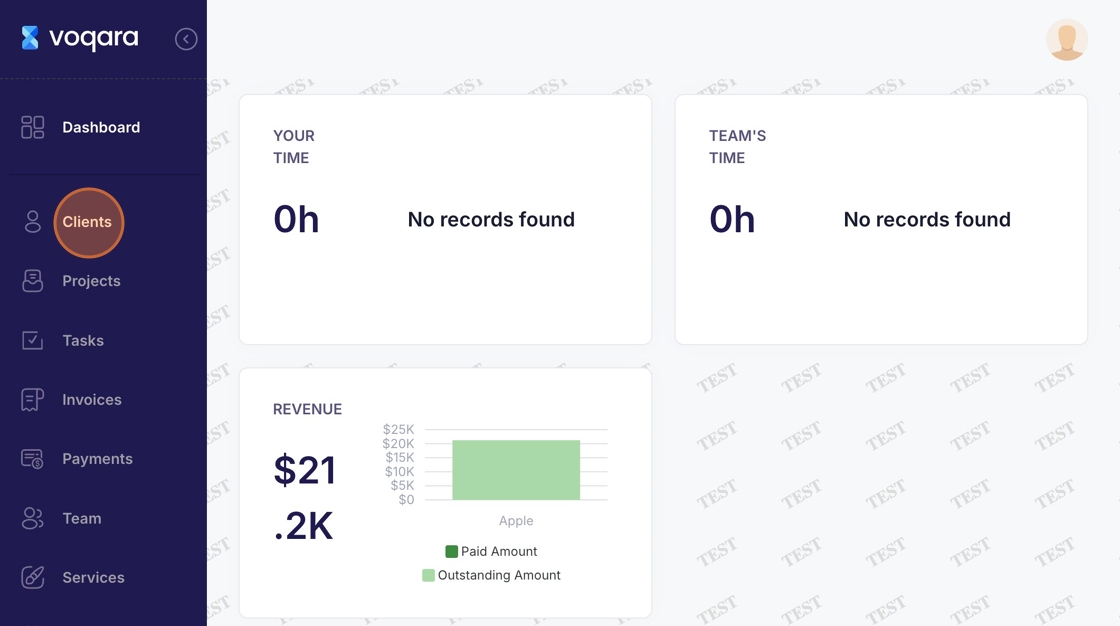
2. Navigate to "Clients"
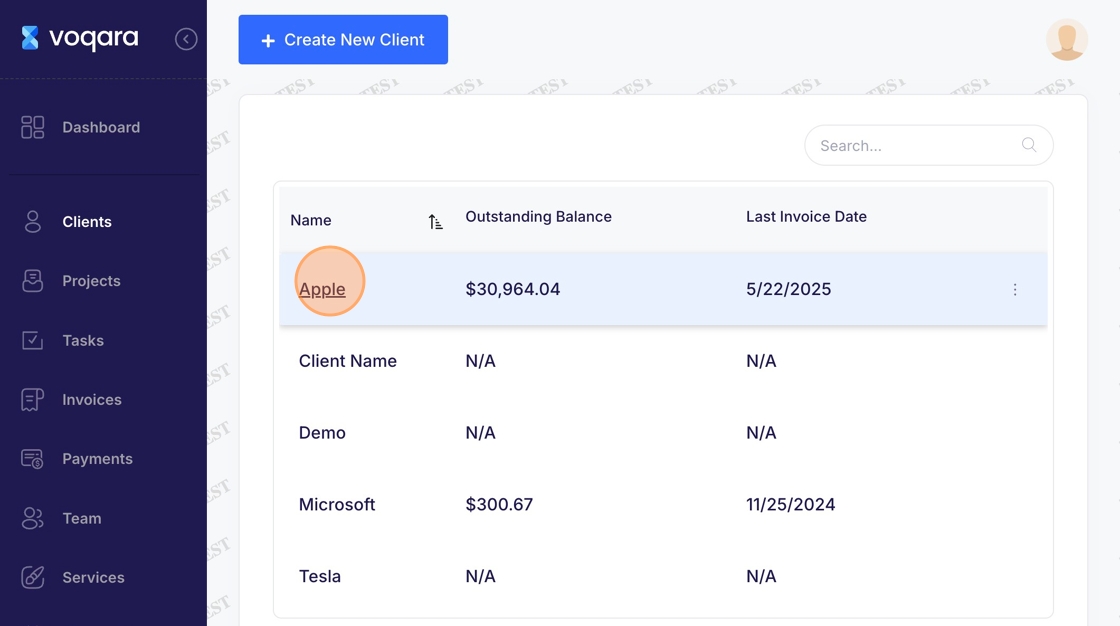
3. Select client
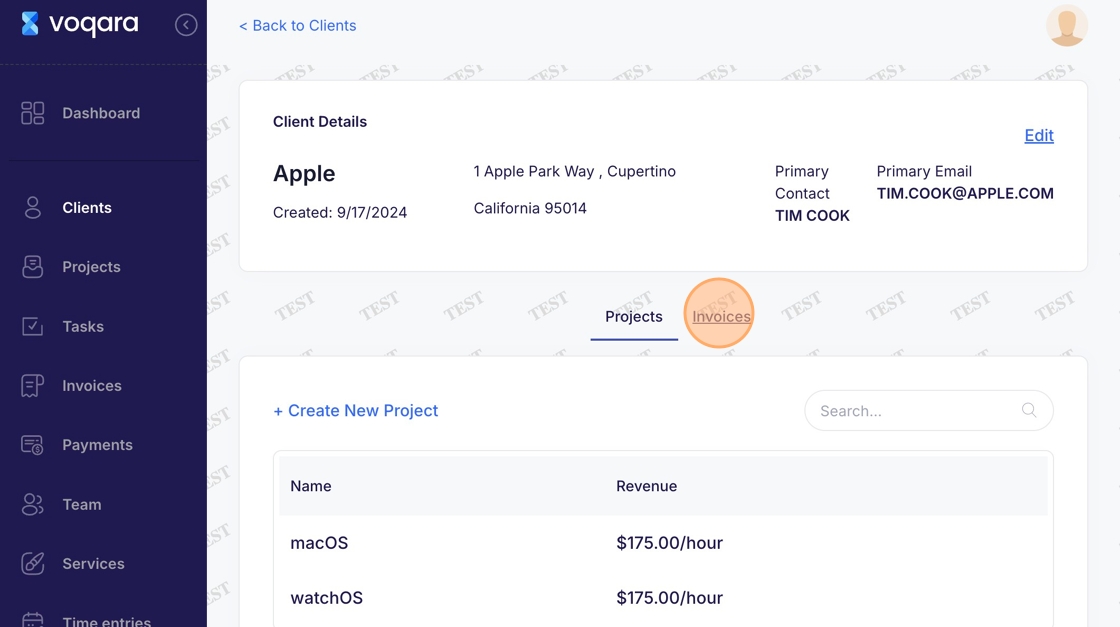
4. Navigate to "Invoices"
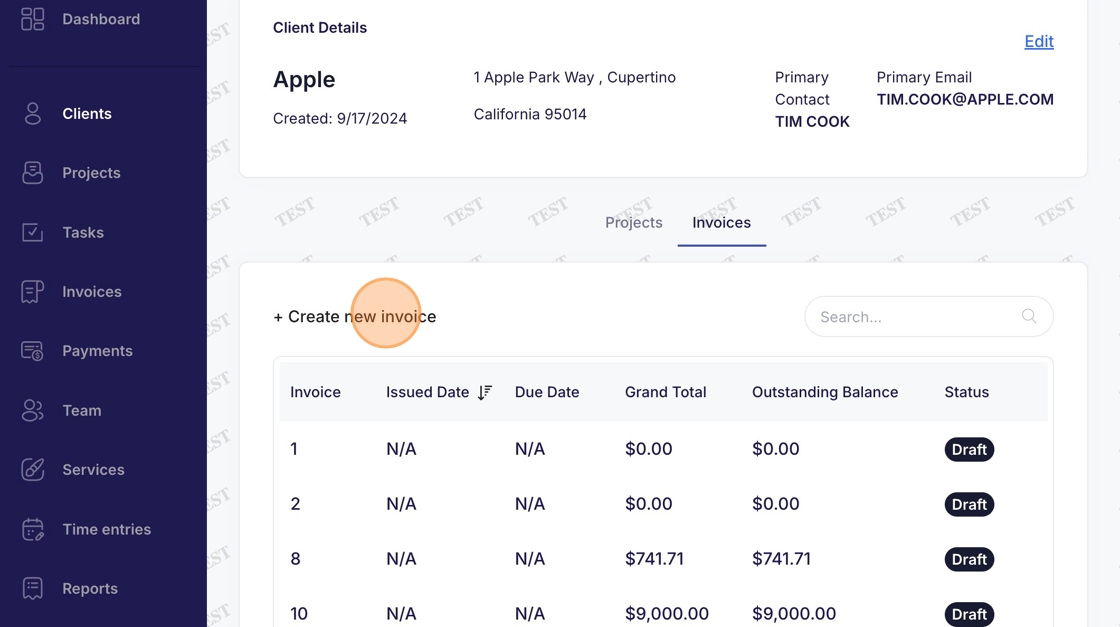
5. Click "Create new invoice"
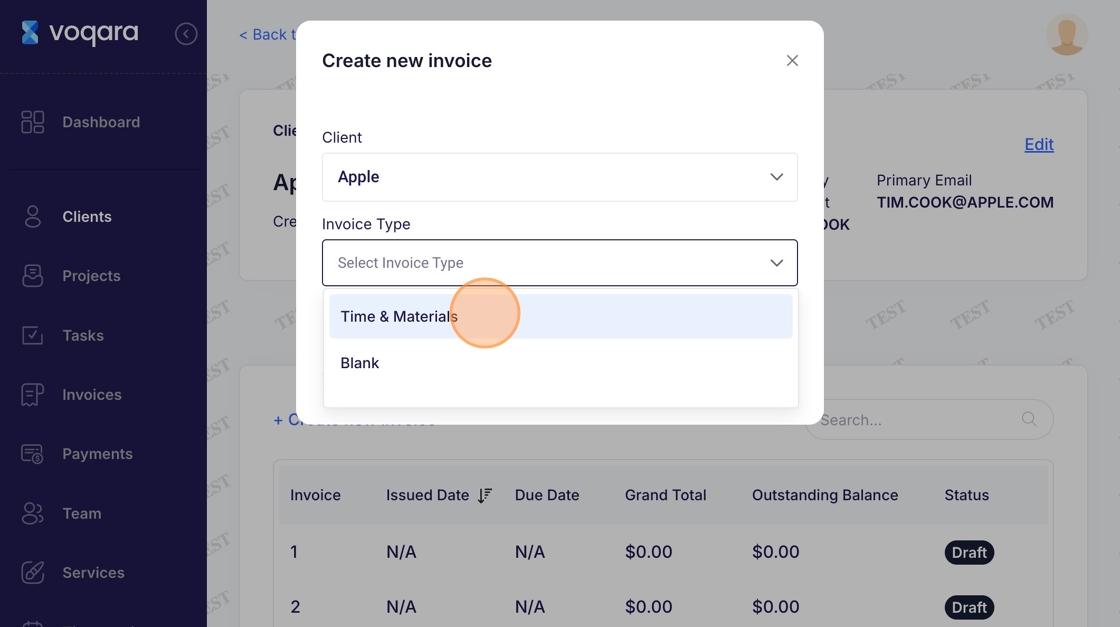
6. Select type of invoice
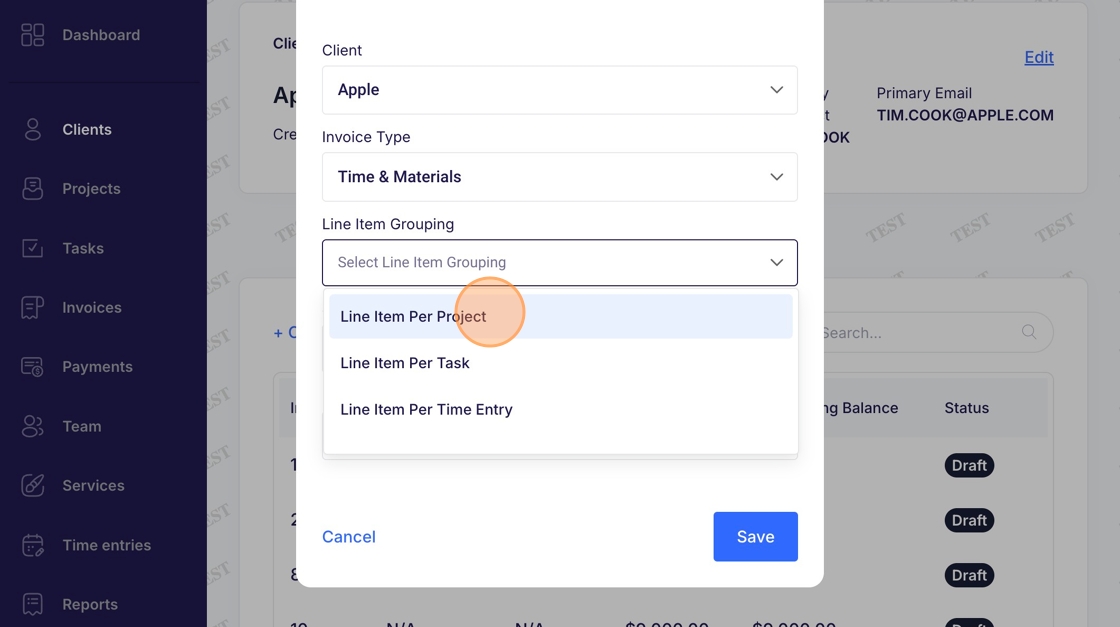
7. Select a "Line Item Grouping"
8. Select start and end dates
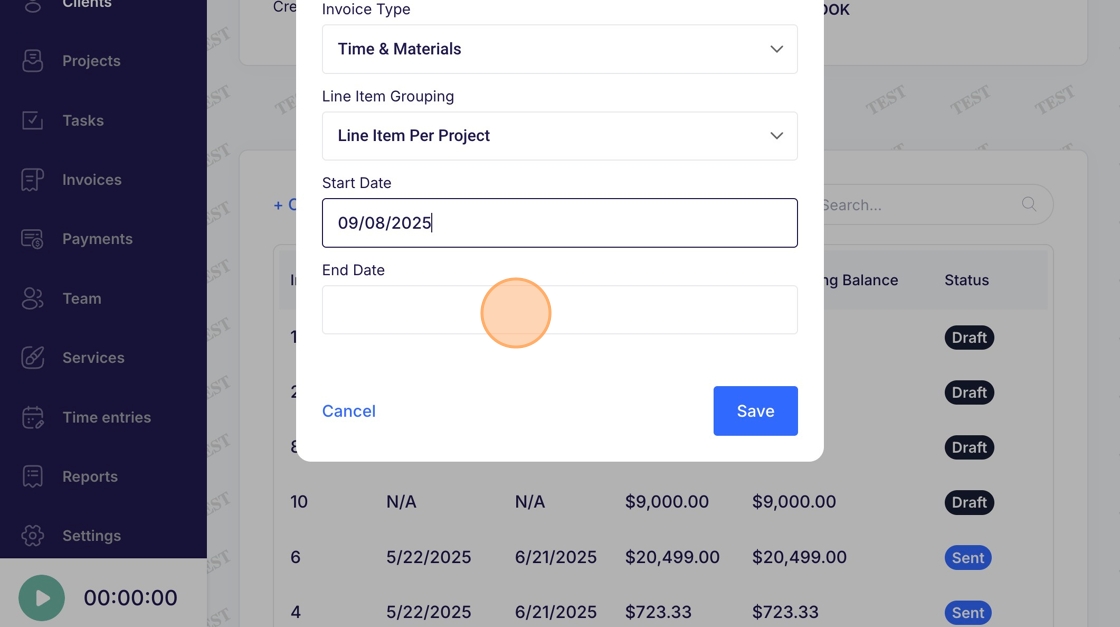
9. Click "Save"
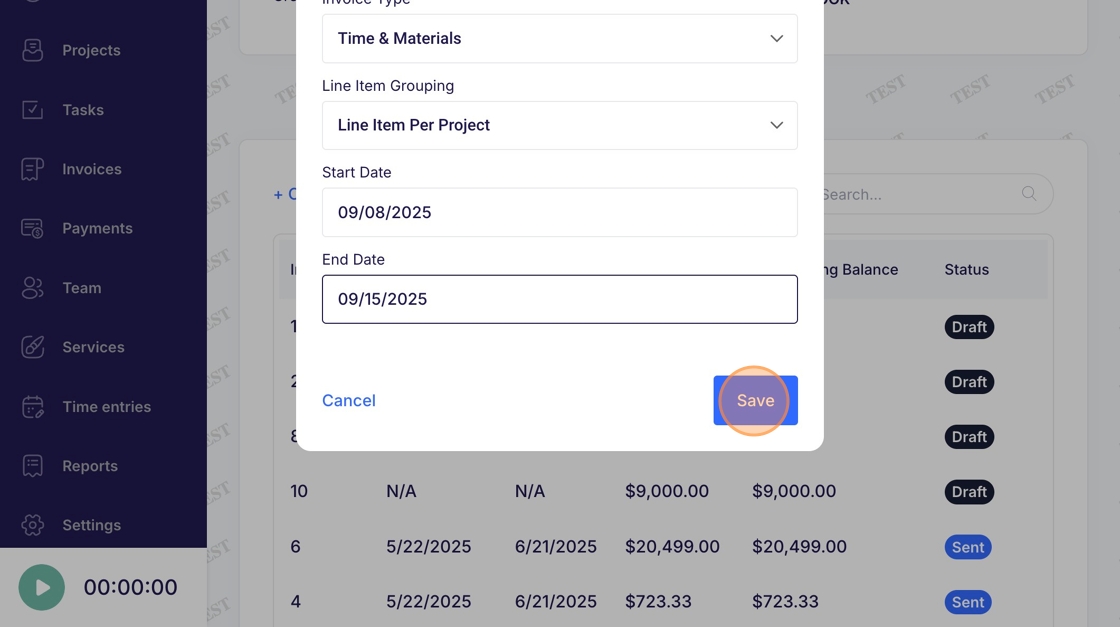
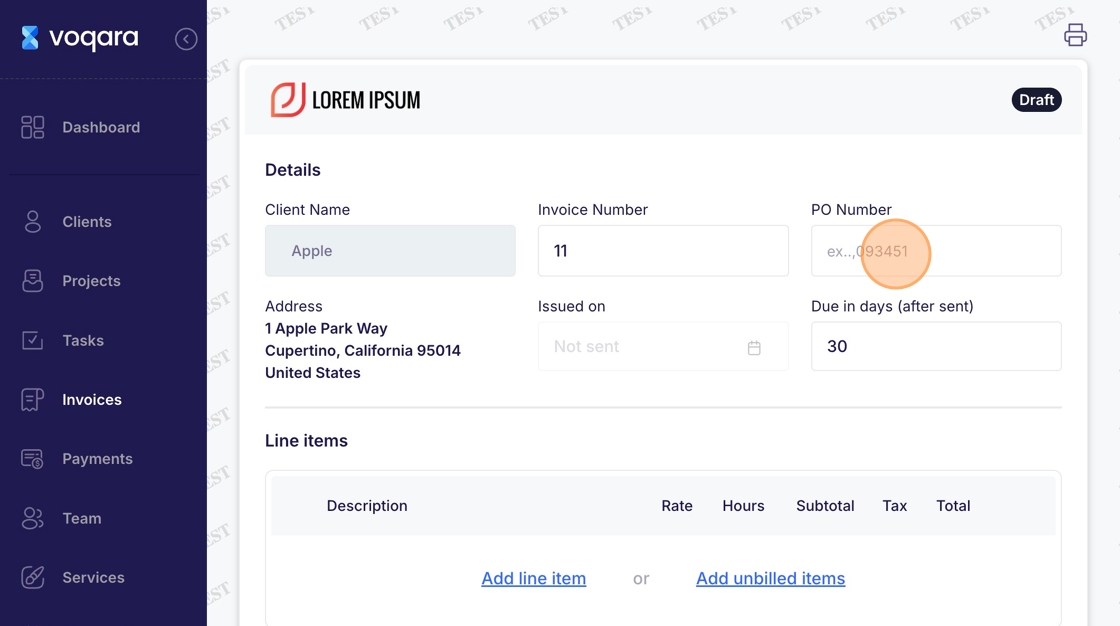
10. Review billing details
11. Enter payment terms and other notes as desired
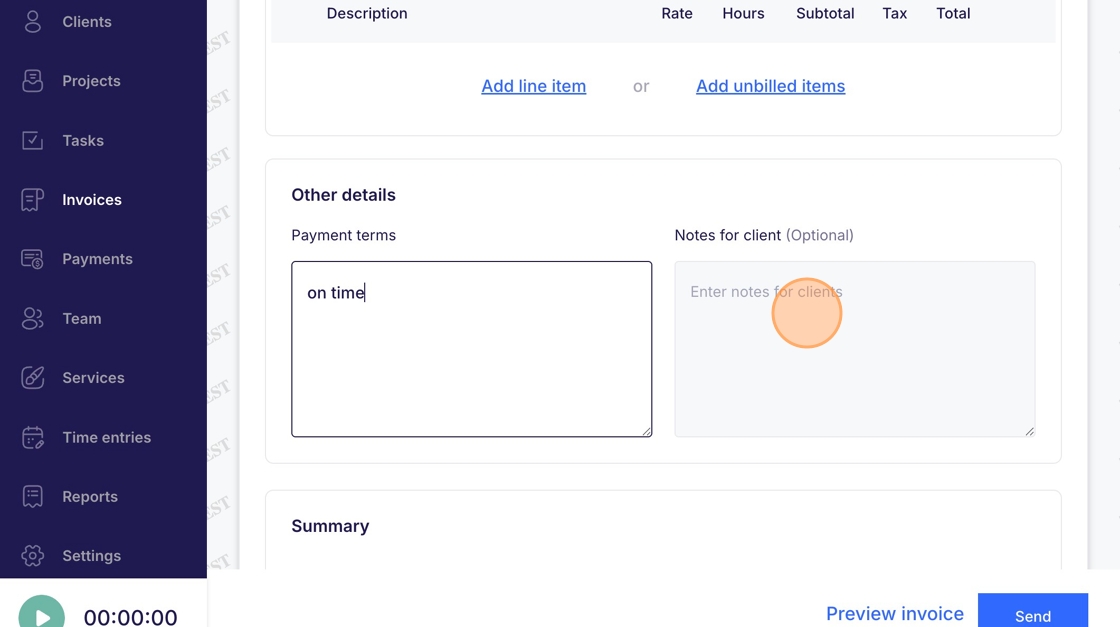
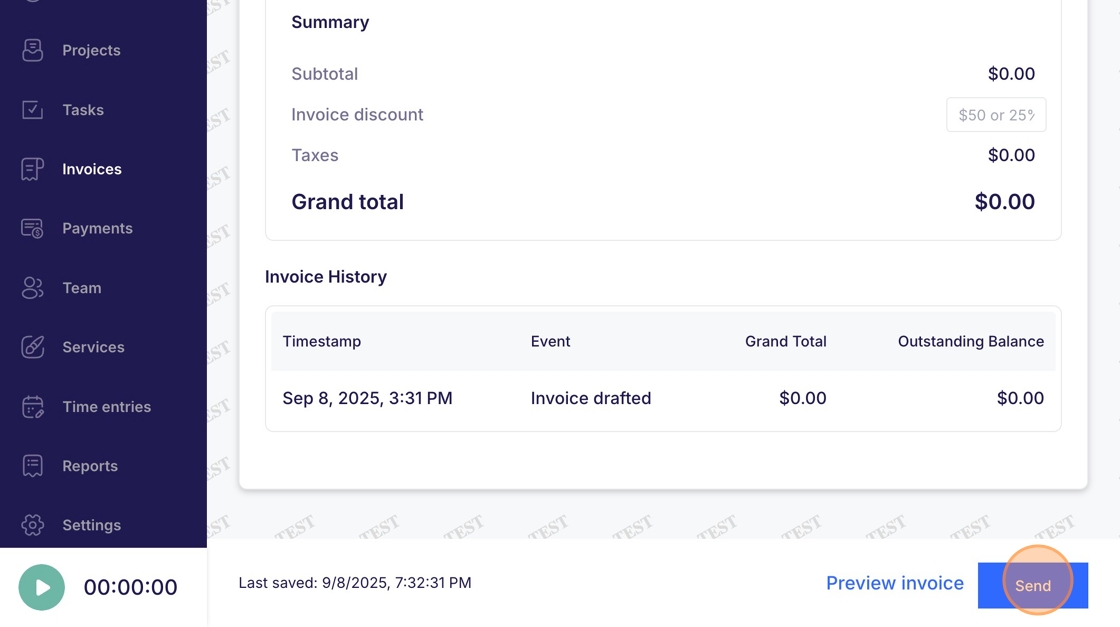
12. Click "Send" to complete client invoice