Clients - Add Project
This guide provides a straightforward, step-by-step process for adding a new project to a client in the Voqara app. It simplifies the task by breaking it down into clear actions, ensuring users can efficiently navigate the interface and input necessary project details. By following this guide, users can save time and avoid confusion, making project management more streamlined and effective.
Made by Tusk Support with Scribe
This guide provides a straightforward, step-by-step process for adding a new project to a client in the Voqara app. It simplifies the task by breaking it down into clear actions, ensuring users can efficiently navigate the interface and input necessary project details. By following this guide, users can save time and avoid confusion, making project management more streamlined and effective.
1. Log into Voqara

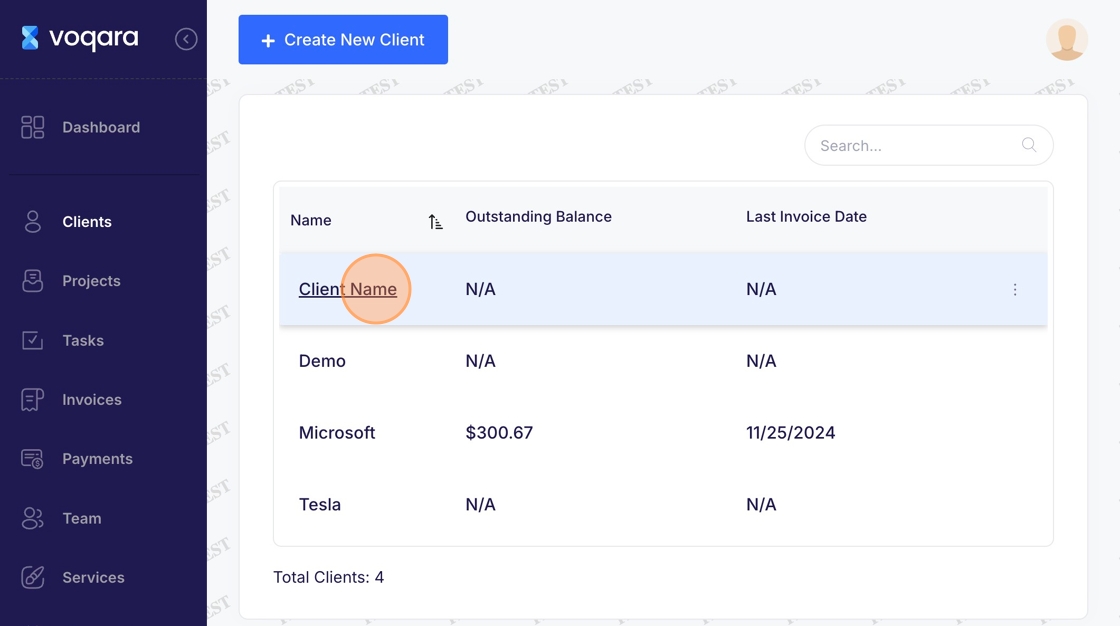
2. Navigate to "Clients"

3. Select a client
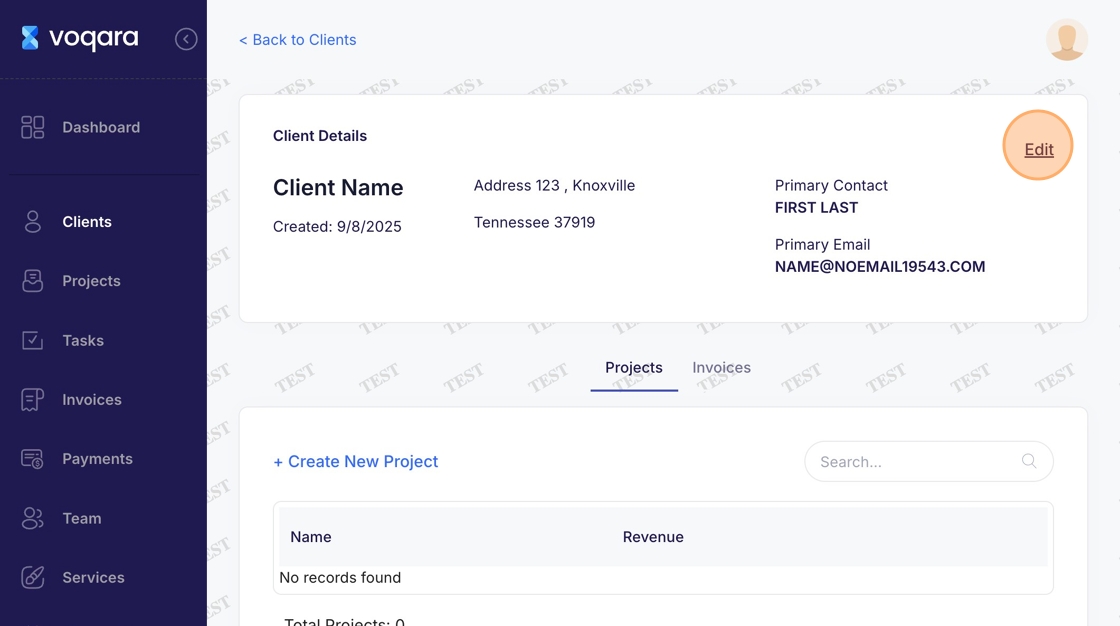
4. Navigate to "Edit"
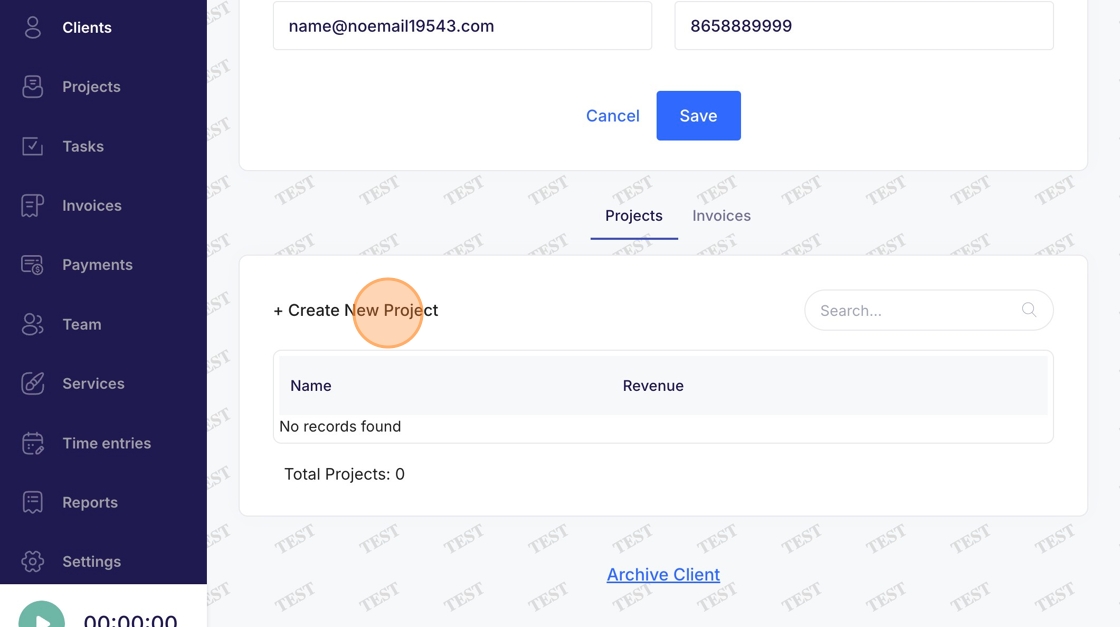
5. Click "Create New Project"
6. Select "Project Type"
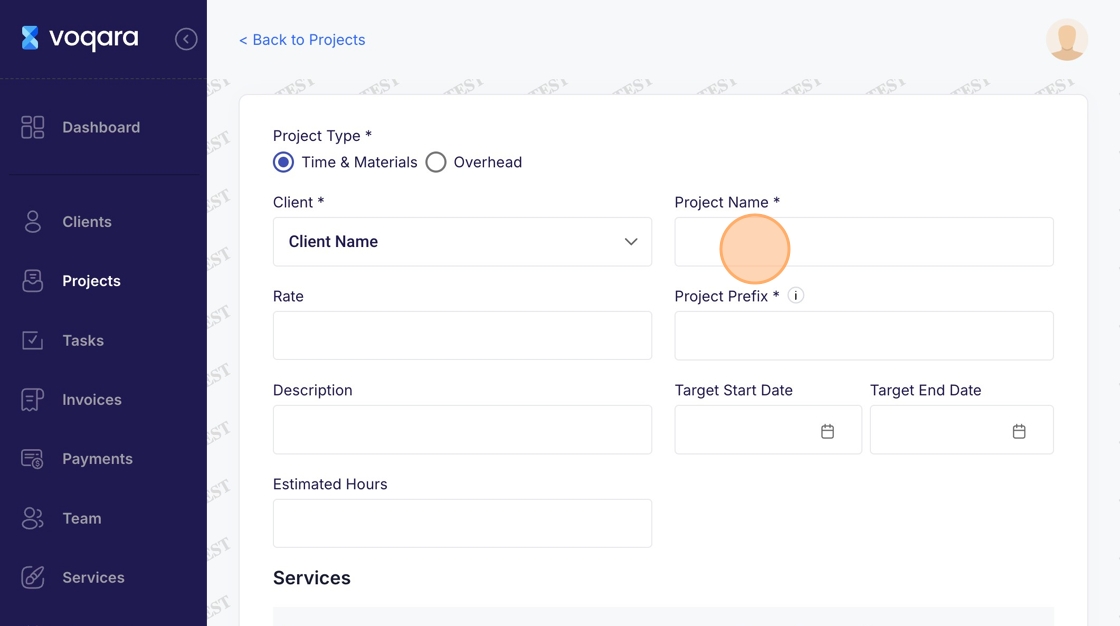
7. Enter name of project
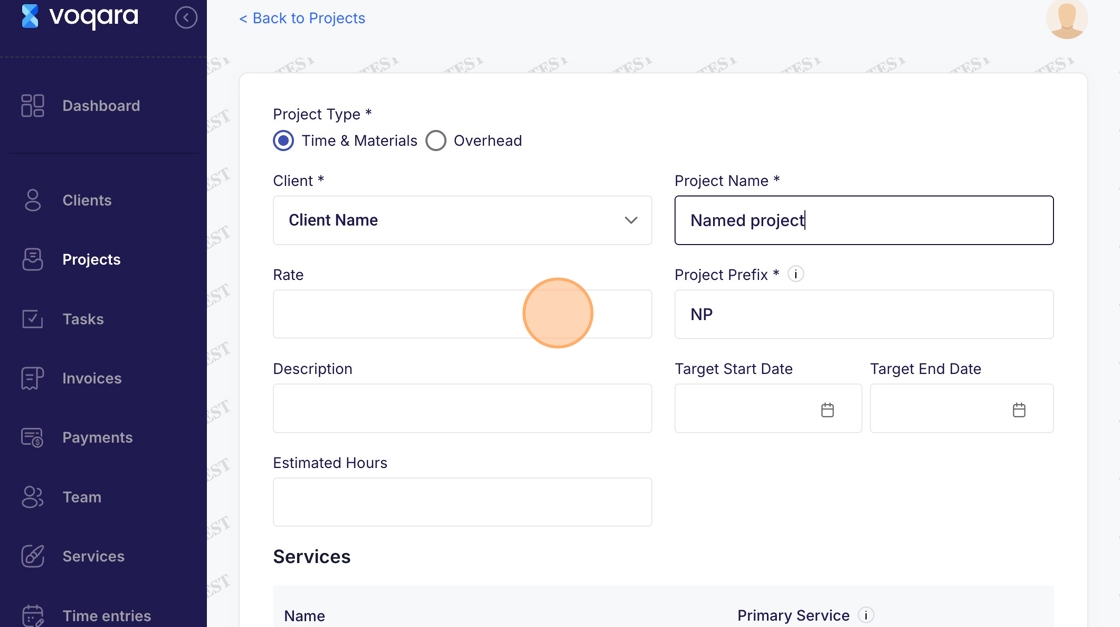
8. Enter project details
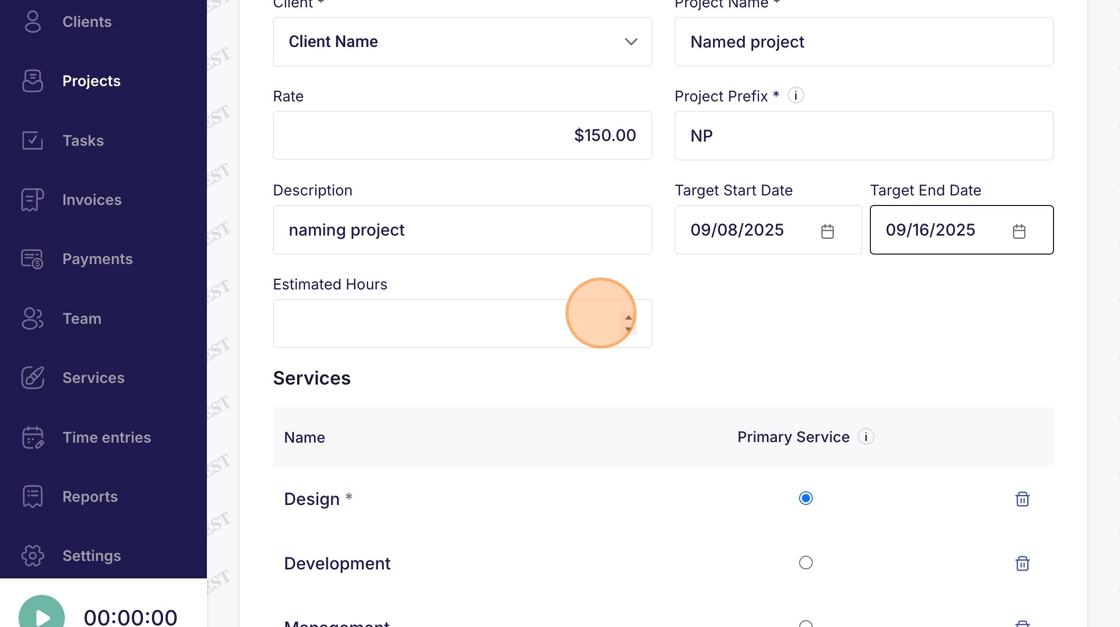
9. Select a primary service
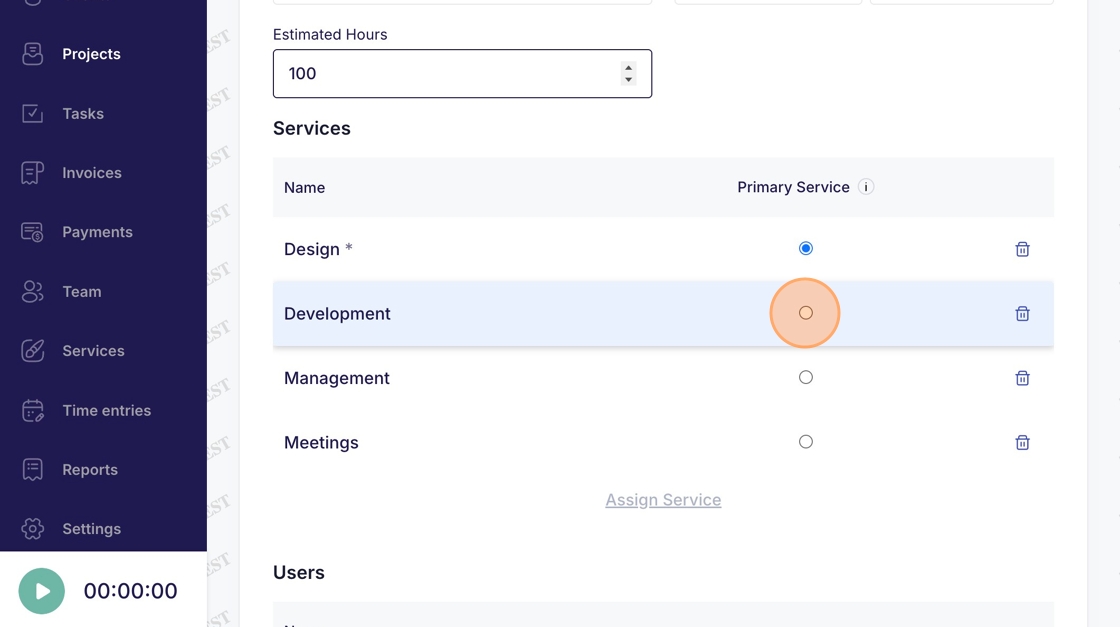
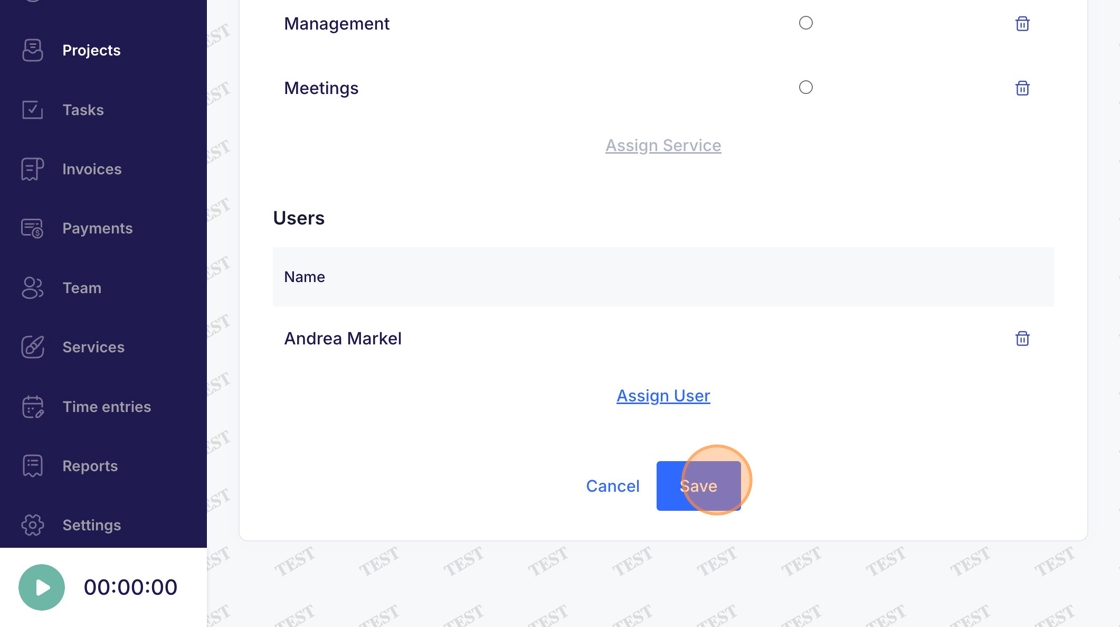
10. Click "Save" to complete adding the new project